Dolby Atmos with Logic Pro
Overview
Logic Pro includes a built-in Dolby Atmos renderer, so you can author, monitor, and bounce ADM without a separate app. Pro Tools also now includes an integrated renderer (in addition to workflows that use the external Dolby Atmos Renderer), so the main difference is workflow, not capability.
In Logic, the bed is a 7.1.2 bus and any channel set to 3D Object becomes a discrete object. Atmos supports up to 128 total channels: the 10-channel bed (7.1.2) plus up to 118 objects.
Setup in Logic Pro
- File → Project Settings → Audio
- Sample Rate: 48kHz (standard for video/film)
- Spatial Audio: Dolby Atmos
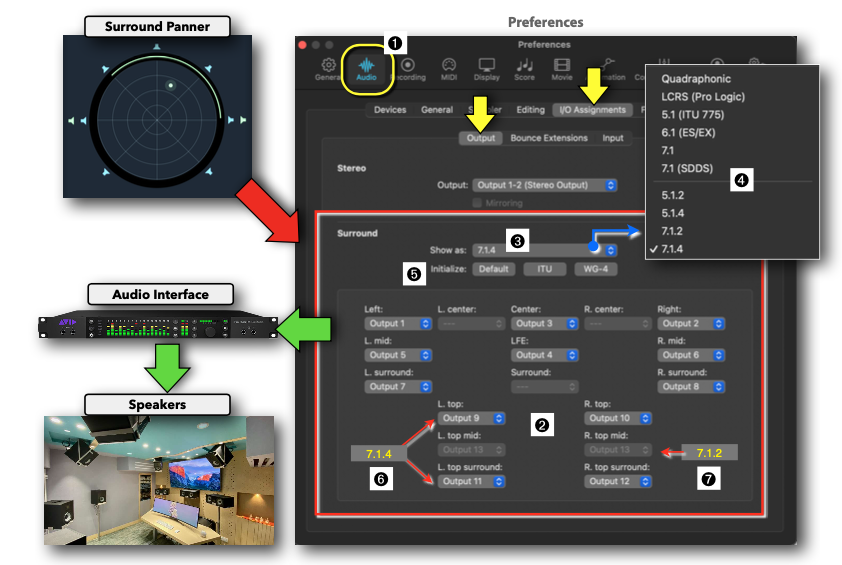
- Bed format: 7.1.2. Monitoring format should match your room (e.g., 7.1, 7.1.4) or Binaural on headphones.
- On each track, choose the panner you need:
- Surround Panner = feeds the bed.
- 3D Object Panner = routes as an object (with per-object binaural render modes: Near, Mid, Far).
Channel Routing
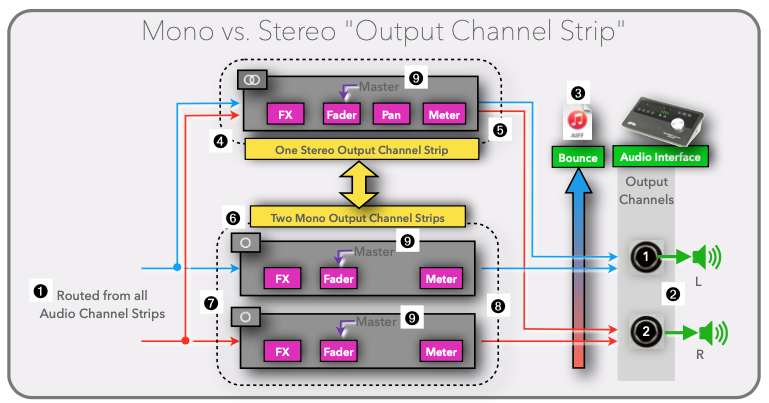
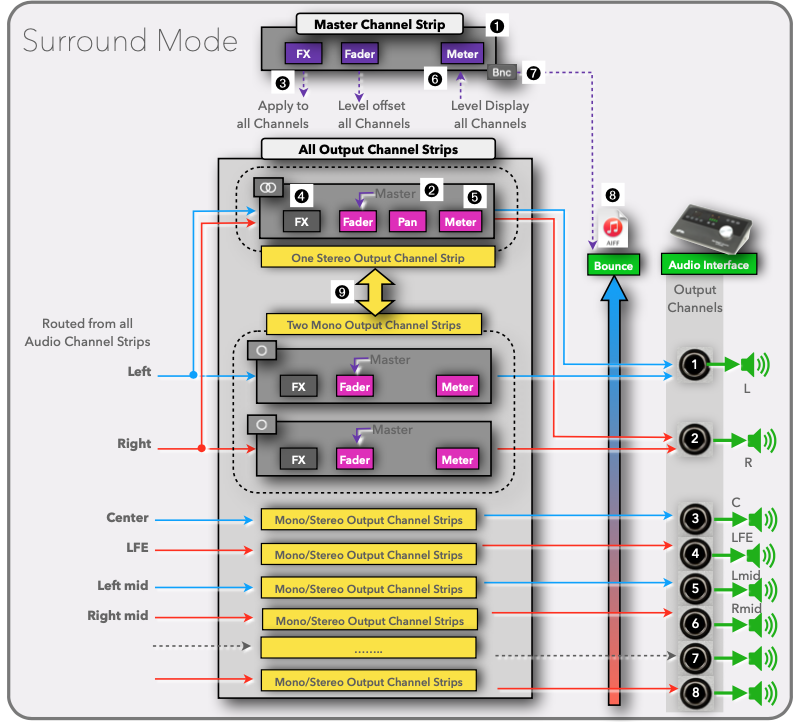
Mono Components vs. Stereo Components
Output Routing
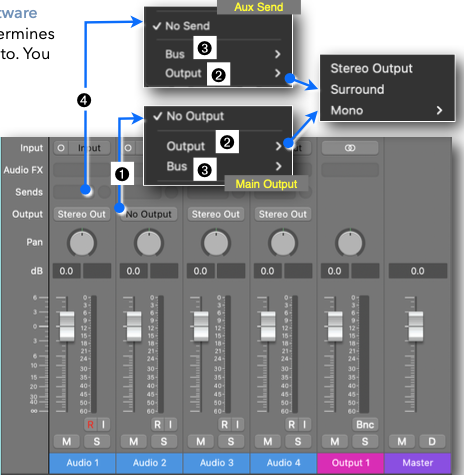
These menus are dynamic and change depending on what audio interface you’re connected to.
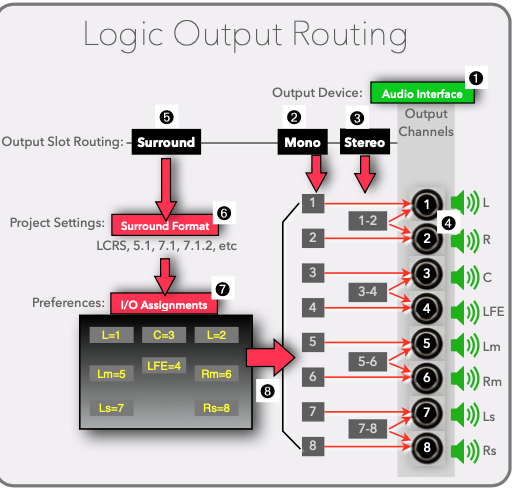
Surround Formats
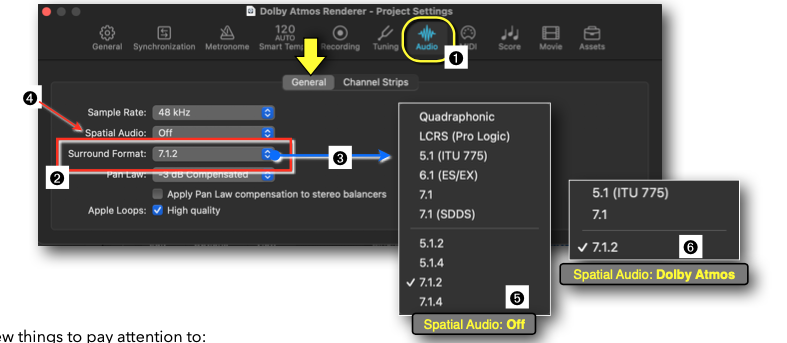
Changing the format here affects what each plugin and panner can do. When you set the project to a surround format (e.g., 7.1.2), the Surround Panner updates its speaker layout to match.
I/O Assignments (Output/Speakers)
Master Channel Strip
Enabling Atmos and switching tracks to surround/object updates the master channel strip and inserts the Dolby Atmos controls.
Beds vs. Objects (Music Mixing)
Both bed and object tracks shape the 3D mix. Typical use in music:
Bed tracks (7.1.2)
- Foundation and stability for the mix; great for elements that should downmix predictably.
- Use the Surround Panner to place bed elements in the 7.1.2 field.
- Common bed candidates: drums, bass, main keys, pads, background vocals, FX beds.
Object tracks
- Discrete position and movement anywhere in 3D space via the 3D Object Panner.
- Per-object binaural distance (Near/Mid/Far) for better headphone translation.
- Useful for lead elements, featured instruments, ad-libs, ear-candy, and moments that move.
Notes
- Keep critical anchors (kick, bass, lead vocal) either in the bed or as carefully managed objects to ensure downmixs remain solid.
- The bed is fixed at 7.1.2; any height speakers beyond that are addressed with objects.
- Total budget: 128 channels max (10 bed + up to 118 objects).
Bounce and Delivery
- File → Bounce → Project or Section → Dolby Atmos ADM BWF for delivery.
- Optionally also bounce a stereo downmix for reference. The renderer’s downmix may differ from a dedicated stereo mix.